Viewing your Bill and Account Activity
PiratePay Portal – Student Account Access Instructions
The PiratePay Portal allows you to manage and review important student account information such as:
Review your Personal Profile.
Set up Authorized Users who can view your student financial information and make payments on your behalf.
Review your student billing statements and account transactions.
Make online electronic payments (E-Check or Credit/Debit Card).
Enroll in the active Installment Payment Plan (when available).
Steps to Access the Student Account Portal
Log into the HamptonU Experience:
- Hampton University Email
- Infotech Password
- Select “View all Cards” and search “PiratePay”
Select: “Student and Staff”
Enter your Student User ID
Enter your PIN
Click Login
- Forgot your PIN? Contact the Registrar.
Screen Overview
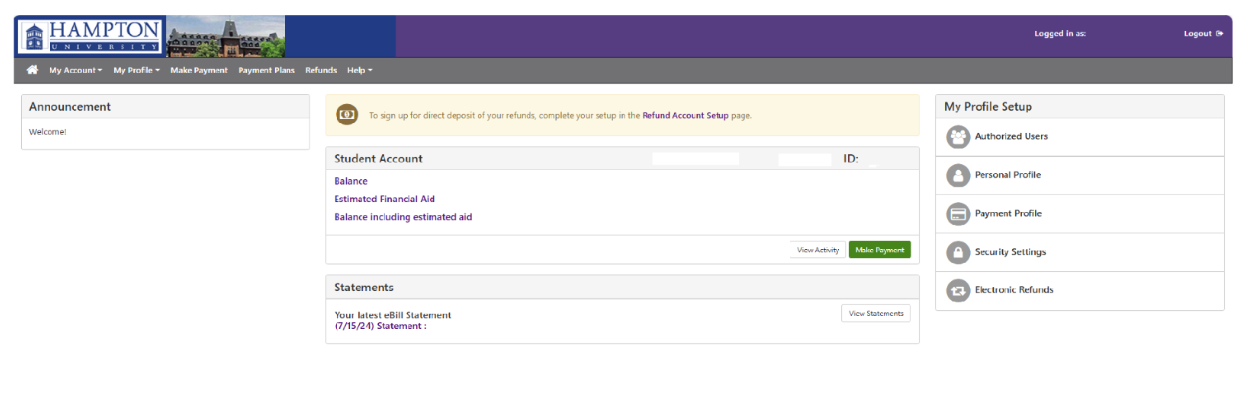
Once logged in, your name will appear in the upper right-hand corner, confirming that you have successfully accessed the PiratePay Portal. A home page screenshot is provided below to help you navigate the student account features and services.