
Student Business Services
Making a One-Time Payment
STEPS TO ACCESS STUDENT PORTAL
Log into the HamptonU Experience.
Click on “VIEW ALL CARDS”
- Search for “PIRATE PAY”
Click on the Pirate Pay card
SCREEN REVIEW
Choose “Make Payment.”
Enter the payment amount by overwriting the existing amount in the box.
Click Add to validate the amount in your payment cart (located in the lower right corner of the page).
Optionally, add a personal note about your payment.
Once you have entered and confirmed your payment amount, select “Continue.”
Select your Method of Payment:
Credit/Debit Card – Click Continue to fill in payment information.
ACH/E-Check – Click Continue to fill in payment information.
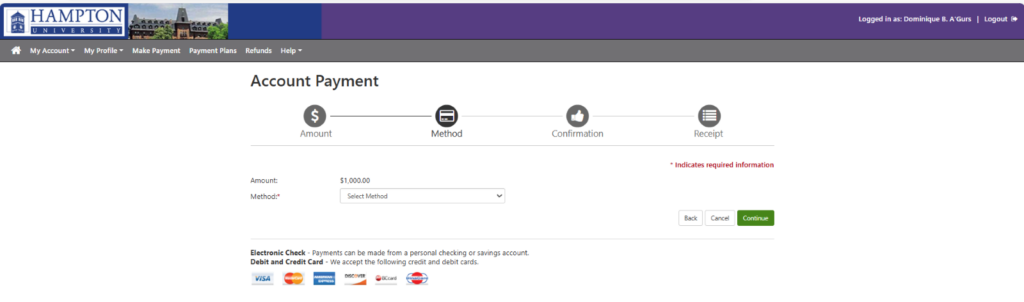
5. Review and Confirm Payment and payment information.
6. Once validated, you will receive an email receipt confirmation sent to the email address used during your payment.